
Apple Ads Maximize Conversions: The Complete Guide (2026)
How to set up Apple's new AI bidding strategy, what to avoid, and whether you actually need it.

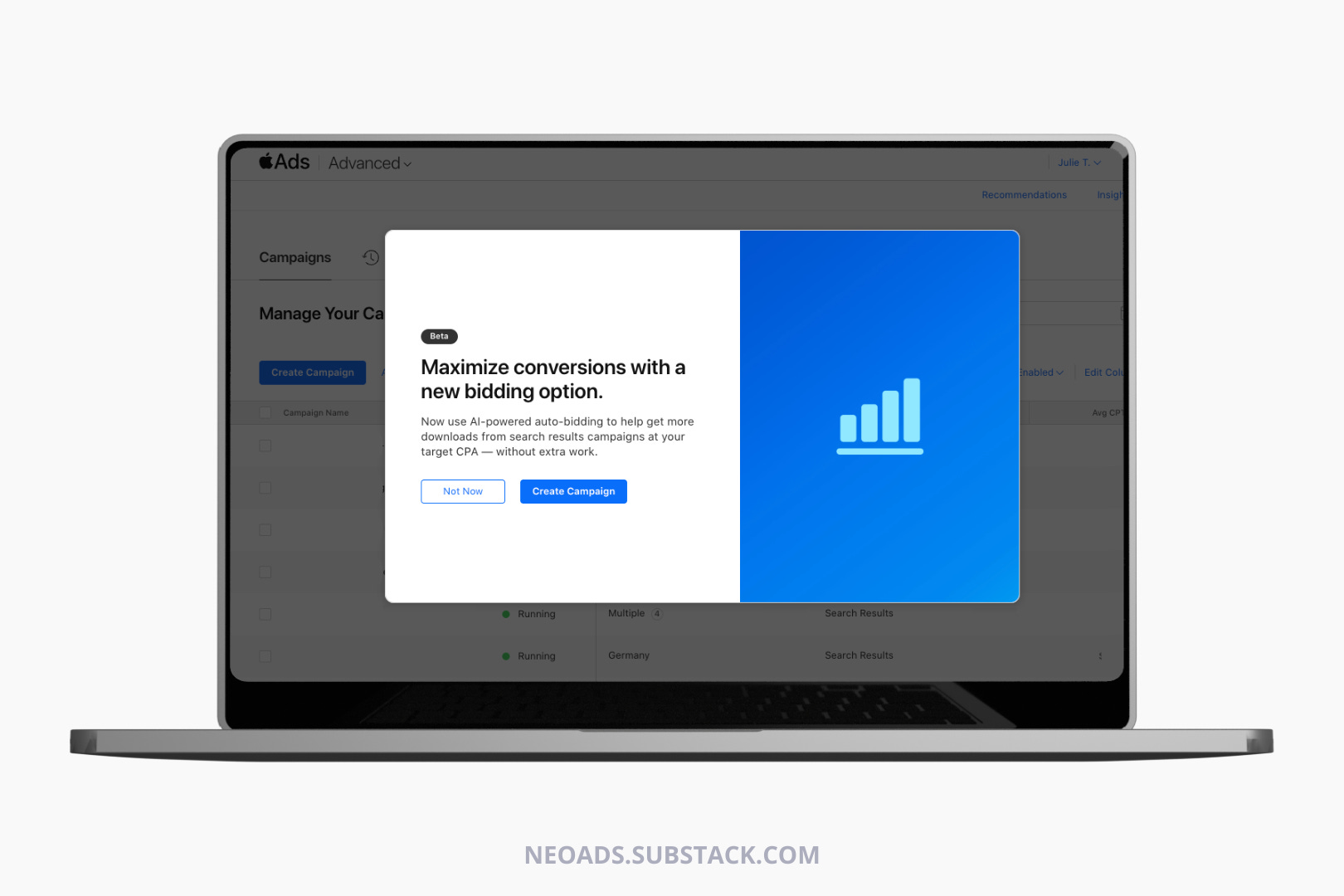
Back in December, one of my clients was selected for the beta of Apple Ads’ brand-new feature: Maximize Conversions. I covered it then, when almost nobody was talking about it yet.
A few months and a lot of data later, Apple is now rolling it out to all accounts. And the timing couldn’t be better… or more deliberate.
In March 2026, Apple Ads is also introducing additional Search Results placements. Ads will now appear further down in search results, not just at the top. More inventory, and likely more affordable inventory since lower positions will be less contested. No action needed since existing Search Results campaigns automatically qualify for all positions.
This changes the Maximize Conversions feature significantly: more surface area for the algorithm to explore, potentially lower CPTs on new placements, a broader learning pool from day one. Apple is expanding the auction at the exact moment it’s handing advertisers an AI tool to navigate it.
Regarding third-party tools like SplitMetrics, MobileAction, or AppTweak, they aren’t going anywhere. What Apple is launching is a basic CPA automation tool, on a new type of campaign. These platforms offer rule-based automation across all campaign types, MMP-connected post-install event bidding, and far more granular control.
So here’s everything I’ve learned over the past few months, what works, what kills campaigns, and how to set it up properly from day one.
🎯 You might also like:

What it actually is (and isn’t)
Maximize Conversions is a discovery and learning tool first. Apple has finally joined every other major ad platform (Google, Meta, Unity) in offering native AI bidding, but let’s be honest… it’s years behind.
Right now it optimizes purely for installs, which means no trials, no purchases, no retention signals. Keep that scope in mind before treating it as a magic solution.
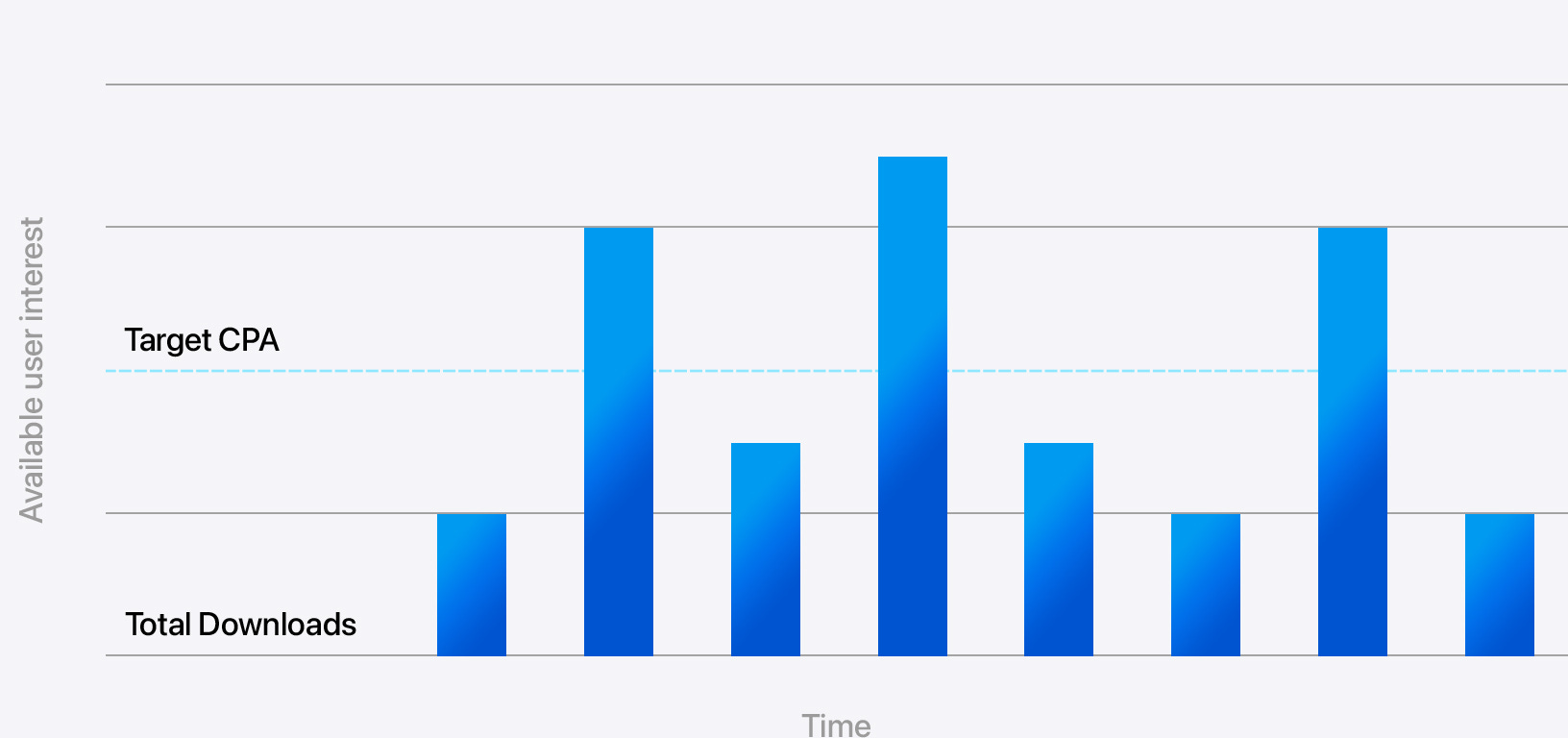
The core mechanic shift: CPA cap was a hard ceiling per keyword, as the bid never exceeded your cap, no matter how valuable the query, which meant missed opportunities on your potential best terms.
Target CPA is an average across the campaign. The algorithm bids €8 on a term worth €8 and €2 on a term worth €2, aiming to average your goal. More opportunity and less granular control.
The additional ad group: what you can actually control
When you create a Maximize Conversions campaign, Apple automatically generates a locked Automated Ad Group. Leave it completely untouched since that’s your exploration engine and it needs maximum reach.
You also have the option to create an additional manual ad group on top.
Here’s what you can and can’t do in it, because this is frequently misunderstood:
You can: change audience settings (new vs. returning users), use a Custom Product Page, select specific keywords to guide the auto-bidder, pause specific keywords you don’t want to run, add negative keywords.
You cannot: set or manage individual keyword bids, as there are no CPT bids in a Maximize Conversions campaign. If you need per-keyword bid control, you need a separate Manage Bids campaign (classic one).
The practical implication: when you add keywords to the additional ad group, you’re not bidding on them manually but you’re telling the algorithm “use these as anchors to find related queries”. The auto-bidder still sets the actual CPT, so it means this optional ad group is useful for keyword scoping and CPP segmentation, not for bid optimization.
My recommendation: use the additional ad group for Custom Product Page testing on your highest-intent audience (new users only) + intent alignement. Don’t forget to add negative keywords at campaign level to prevent overlap with your existing Exact match campaigns.
Calculating budget & CPA
If your campaign don’t get enough data for the algorithm to learn, your campaigns will most likely fail. So here’s our to calculate your minimum & recommended daily budget:
Minimum daily budget = Target CPA × 5
Recommended daily budget = Target CPA × 10
Apple explicitly states the campaign needs at least 5 conversions per day to function. That’s the floor, so below 5 conversions/day, the model does not have enough room to learn.
Honest take: if you can’t hit the recommended budget (10× CPA/day), you’re not necessarily blocked from running it, but you should expect a longer, messier learning phase and less reliable performance. The model stabilizes proportionally faster with more daily conversions. A campaign getting 50 installs/day learns in 2 weeks what a campaign getting 5 installs/day takes 10 weeks to learn.
Also important: Apple says daily costs may be above or below target on a given day, and weekly/monthly averaging is how performance should be read. Don’t react to single-day CPA spikes in the first two weeks, that’s the learning phase.
Recommendations
Set your Target CPA at or slightly above your blended CPA from existing campaigns. Starting too aggressive means the algorithm can’t find inventory and delivery will be low. You can tighten CPA gradually once the model stabilizes, but not before.
Add campaign-level negative keywords before you launch. Any terms already running as Exact in your other campaigns must be excluded here. Otherwise you’re competing against yourself in the same auction and inflating your own CPTs. This is probably the most overlooked setup step.
Leave the Automated Ad Group completely alone. Don’t restrict the audience, don’t add keywords, don’t touch it. Every restriction you add slows learning.
If you create the additional ad group, use it for CPP testing. If you have Custom Product Pages, this is where they belong, paired with a specific audience segment (new users, a specific theme / intent) where you want cleaner measurement. This is probably the highest-leverage use of that optional layer.
Wait a full 2 weeks before drawing conclusions, and Week 3 before adjusting anything. Changing Target CPA during the learning phase resets the model.
Mine your search terms report actively from Week 3 onward. The real long-term value of this campaign type is discovering high-intent query variations you’d never have bid on manually. Export them, validate performance, and promote the winners into dedicated Exact match campaigns with manual bidding. The lifecycle: Auto > Learn > Monitor > Move to Exact > Scale.
Track post-install quality from day one. The limit here is that the algorithm only optimizes for installs. If you don’t have your MMP properly connected and you’re not looking at D1/D7 ROAS, retention, trial rates, or purchase rates by source, search term or even ad group, you have no idea if the installs are valuable. Cheap installs from irrelevant queries will look fine at the CPI level but negatively impact your ROAS.
What to avoid
Don’t set a Target CPA below what’s actually achievable in your category. The campaign will most likely underdeliver. If delivery is weak after 2 weeks, raise the Target CPA before assuming the strategy doesn’t work.
Don’t run it without sufficient budget. An under-budgeted Maximize Conversions campaign enters a spiral: low spend > few conversions > weak signal > worse bidding > low CTR... Manual bidding will outperform it in this scenario every time.
Don’t look at keyword-level CPA within the campaign and panic. Individual keywords will frequently appear above Target CPA. That’s by design as the system averages across the campaign. If campaign-level CPA is on target, keyword-level inflation is noise. Evaluating at the wrong level leads to bad decisions. What you should do is always look at post-install data.
Don’t expect it to work for pre-orders. Apple is explicit: post-launch only. No conversion history = no learning = no performance.
Don’t use the additional ad group to try to replicate manual bidding. If you need per-keyword CPT control, you need a Manage Bids campaign running separately. Maximize Conversions and bid management are two distinct campaign types so don’t conflate them.
Don’t treat Week 1 volatility as failure. Higher CPAs, unexpected queries, aggressive spend, strange tap-through rates… this is just the model calibrating.
Account structure that makes sense
Run Maximize Conversions as your discovery layer alongside (not instead of) your existing campaigns:
Maximize Conversions campaign: discovery & keyword mining. Automated Ad Group untouched, campaign-level negatives in place, budget above 10× Target CPA. Optional additional ad group for CPP only.
Exact match campaigns: proven terms at controlled CPTs. This is where you run BAUs campaigns and graduate the winners from Maximize Conversions.
Brand campaign: if you decide to protect your Brand at all cost, keep always separate, always Exact.
The mistake is running Maximize Conversions as your only campaign. It’s not a replacement for structured Exact campaigns, but more like a feeder for them.
Bottom line
Maximize Conversions is genuinely useful if you go in knowing what it is: a keyword discovery machine that learns through spending.
The teams that will extract the most value are those who treat it as the top of a funnel that leads to structured Exact campaigns.
The teams that will waste budget are those who expect immediate CPA efficiency and start touching things before the model has learned anything.
I’m curious to hear how you’ll test this new feature: any thoughts or questions? Leave a comment!
🎯 In case your missed it:
The Alternatives Era Has Begun

Lately I keep noticing the same thing in my feeds as more and more people are talking about alternatives, and promoting tools built by smaller companies, based outside the U.S. People are questioning who owns their data, who controls what they see, what they hear, what gets shared about them. The conversation used to live in tech Twitter and privacy nic…
Client FAQ — Maximize Conversions
1. “We already run ASA manually, why change?” This runs alongside your Exact campaigns as a discovery layer and finds converting search terms you’d never have bid on manually.
2. “What budget do we actually need?” Target CPA × 10 per day, minimum. Apple needs 5 conversions/day for the model to learn, below that you’re wasting budget. €5 CPA = €50/day.
3. “Will CPA spike at launch?” Yes. First 7–10 days will most likely look bad, with higher CPAs, unexpected queries, messy spend. This is the learning phase so don’t touch anything for 2 weeks and judge by Week 3.
4. “Can we control which keywords it runs on?” Partially as you can add keywords in the optional second ad group. You’re telling the algorithm “look for queries like these”, but keep in mind that no CPT bids exist in this campaign type. If you want bid control, that’s a separate Manage Bids campaign. What you can do: add negative keywords to prevent overlap with your existing Exact campaigns.
5. “How do we know if it’s working?” Evaluate at campaign level only, as individual keywords will regularly appear above Target CPA and that’s by design. If campaign-level CPA is trending toward target by Week 3, it’s working. Then look at your MMP: the algorithm only optimizes for installs, so post-install quality is entirely on you.
6. “What about our CPA cap campaigns?” CPA cap is being deprecated (finally..) migration is forced. The shift: CPA cap was a hard ceiling per keyword. Target CPA is an average across the campaign. Individual bids will flex higher on valuable queries, lower elsewhere.
7. “When should we NOT run this?” Budget too small to hit 5 conversions/day. Pre-launch. Teams who can’t resist optimizing every week.
✨ Want to stay ahead in Ad Tech for Mobile Apps & Games?
Subscribe now & get the latest trends delivered straight to your inbox!