
How to connect Claude to Astro via MCP: Step-by-Step Guide
The full setup walkthrough, honest limitations, and the exact prompts I used in session one.

I’ve been putting off this setup for weeks. Too many tools, not enough time. But last week I finally did it, and I want to be honest: I didn’t expect to be this impressed.
This newsletter is the full breakdown: what it is, how to set it up, and the exact prompts I’m using now.
First, what is this actually?
Most ASO workflows look like this: Pull data from tool > copy to spreadsheet > think > go back to tool > make change.
MCP collapses that entire loop. Your AI and your data live in the same conversation.
Three things you need to know:
Astro: my ASO keyword tracking tool for the App Store. It's lightweight, quite affordable ($108 billed annually) with unlimited keywords and apps.
If you're not on it yet:
Claude is Anthropic’s AI. You need a paid plan (Pro or above) for MCP to work. claude.ai/
MCP (Model Context Protocol) is the protocol that connects them. Think of it as giving Claude a direct line to your Astro database. It reads your data, takes actions, and reports back, all inside the chat.
How to set it up
The docs here make it look simple. It mostly is but there are a few walls you might hit. Here’s the real sequence:
Enable MCP in Astro
Open Astro > Settings > MCP Server.
Toggle on Enable MCP Server.
Note the port — default is 8089, leave it as is.
Astro must be open every time you want to use this.
The MCP server starts and stops with the app.
Make sure you have Node.js
Open Terminal (Cmd + Space > type Terminal) and run:
node --version
If you get a version number back, you’re good.
If not, download it from nodejs.org and grab the LTS version.
Install Claude Code
Claude Code is Anthropic’s CLI tool. It’s what connects to Astro’s MCP server.
In the terminal, run:
npm install -g @anthropic-ai/claude-code
⚠️ You might hit a permissions error here. It looks like:
EACCES: permission denied.
Don’t panic. Run these 3 commands in the terminal :
mkdir -p ~/.npm-global
npm config set prefix '~/.npm-global'
echo 'export PATH=~/.npm-global/bin:$PATH' >> ~/.zshrc && source ~/.zshrc
Then try the install again.
This is a one-time fix that solves npm permissions permanently.
Connect Astro to Claude Code
Open terminal and run:
claude mcp add --transport http astro http://127.0.0.1:8089/mcp
You should see: Added HTTP MCP server astro with URL: http://127.0.0.1:8089/mcp
Open Claude Code
Still in the terminal, type:
claude astro
You’re in. Astro is connected. Start asking.
⚠️ Google Drive / Sheets integration: I’m still working through the auth flow for writing reports directly into Google Docs via MCP. Will share a full tutorial once I have a clean, tested process. Watch this space.
What I did in my first session + the exact prompts I used
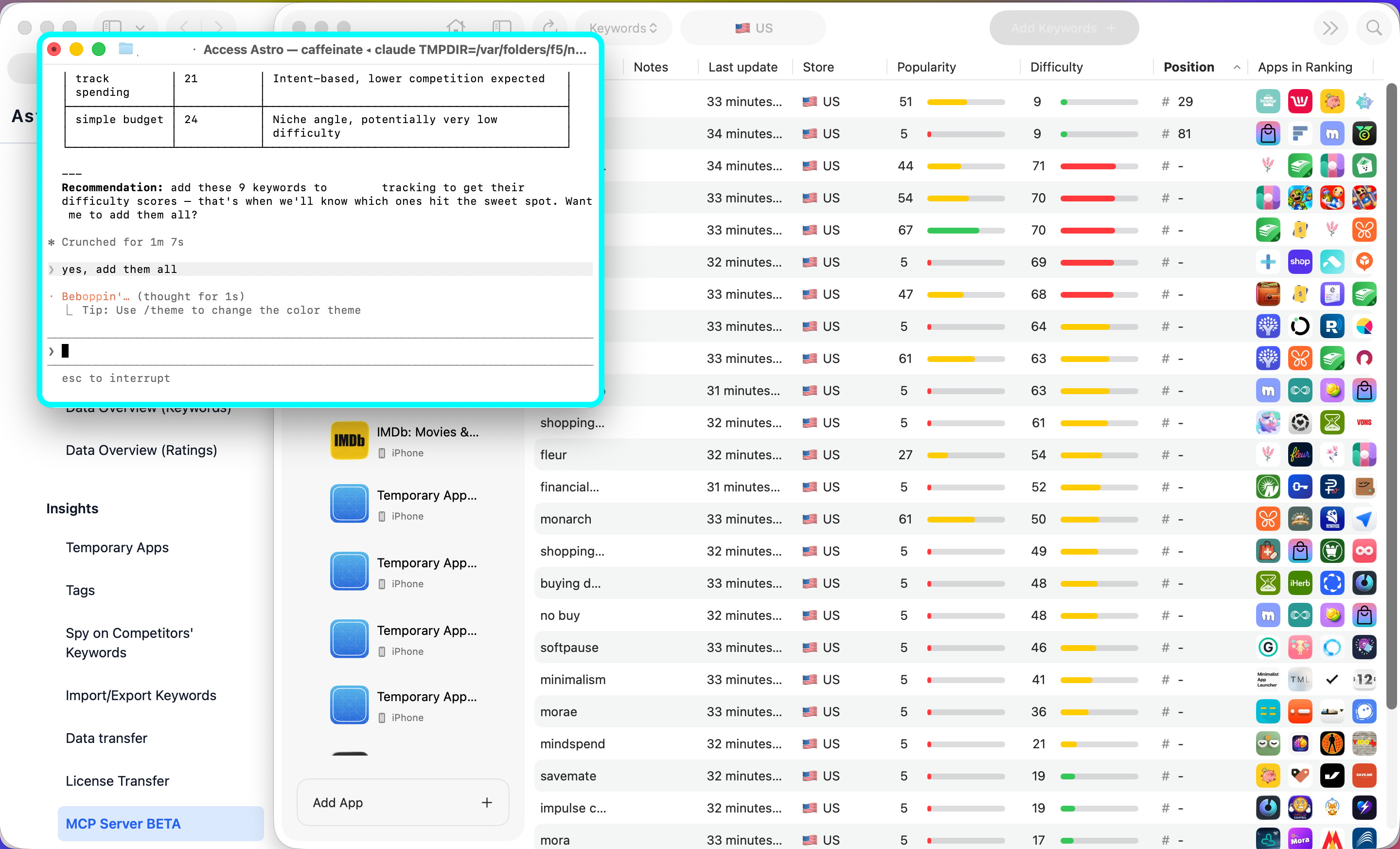
→ Filtered by popularity + difficulty to find real opportunities
Instead of manually scanning columns in Astro, I described what I was looking for in plain English. Claude reasoned through which keywords were worth testing, based on the criteria I added.
Prompt: For my app in the US, find keyword suggestions with low difficulty, relevant to my app and high popularity above 5.
→ Tagged keywords without touching Astro once
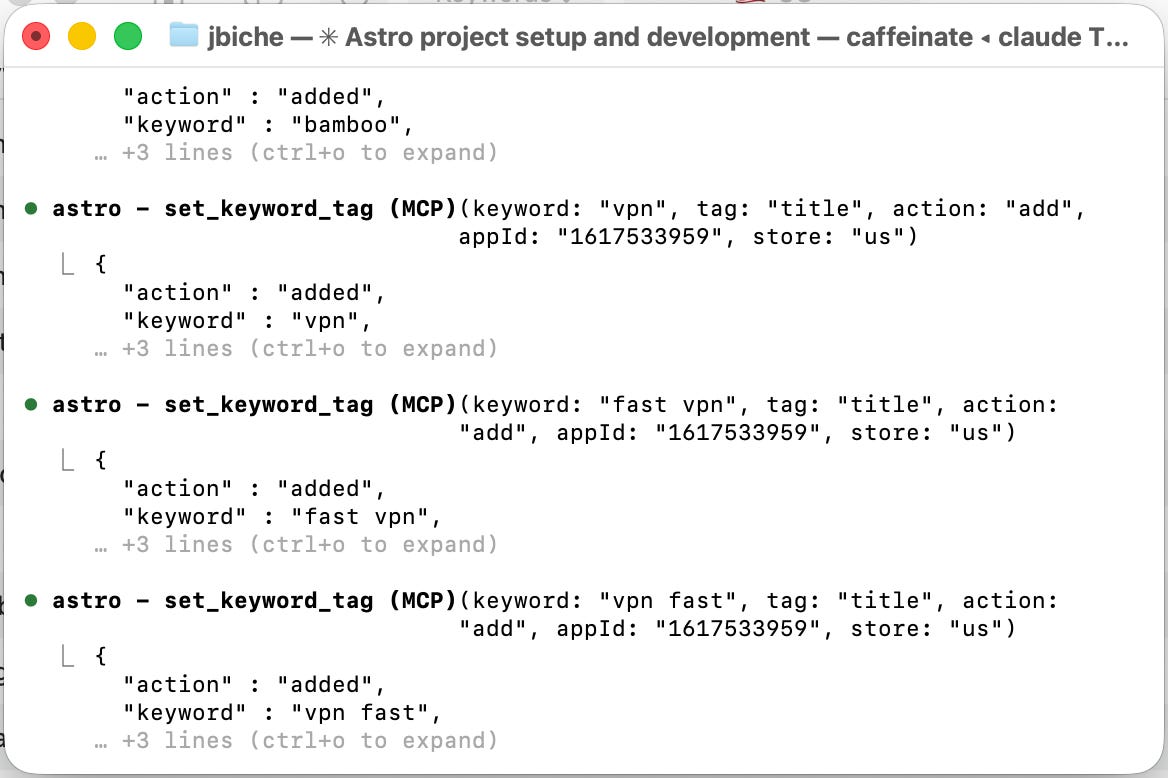
I asked Claude to apply colour-coded tags to a set of keywords based on themes, for future Custom Product Pages. It did it directly via MCP.
Prompt: For my app, look at all tracked keywords and group them into thematic clusters that could each support a dedicated Custom Product Page. For each cluster: suggest a CPP theme name (e.g. ‘crypto investing’, ‘neo bank’, ‘eSIM’), list the keywords that belong to it, show average popularity and current ranking for that cluster, and tag each keyword in Astro with the CPP theme name using a colour-coded tag. Prioritise clusters where we have both ranking traction and high popularity keywords.
→ Found non-US opportunities
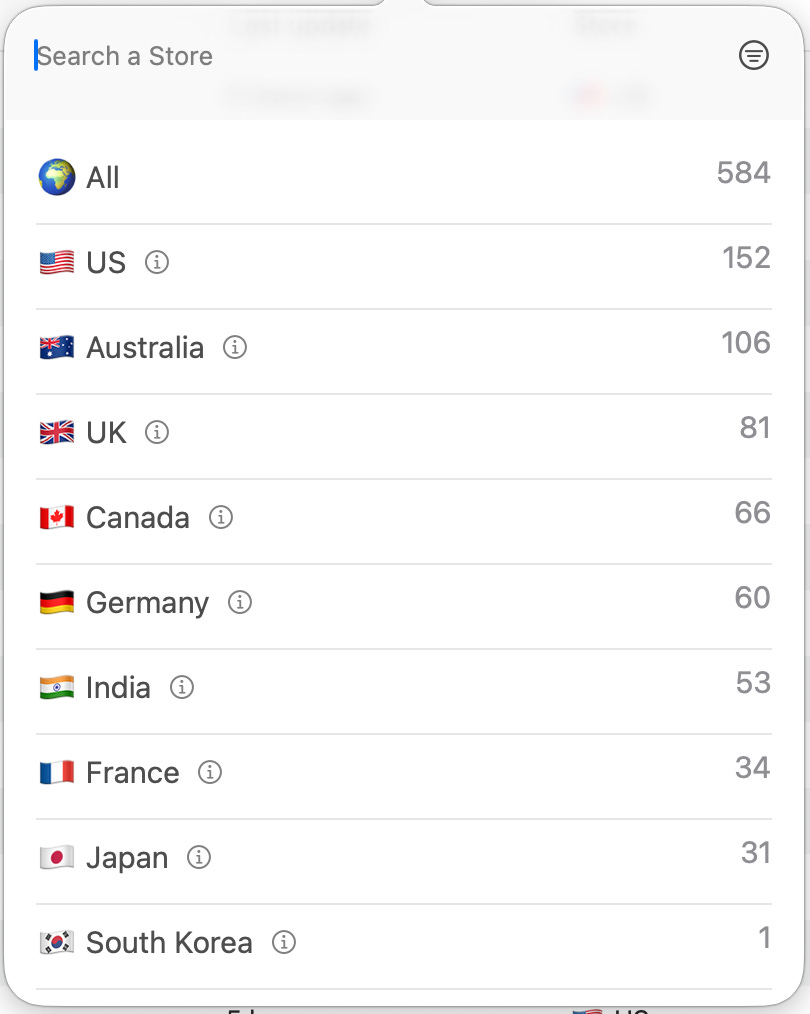
FR, DE, JP.. great markets where we did not take the time to localise the metadata. I always knew international geos were an opportunity, but with US-focused clients and limited bandwidth, it always got pushed. Now I can surface the low-hanging fruit in minutes and actually act on it.
Prompts: Find high-popularity keyword suggestions for my app in FR, DE, JP in non-english-language keywords; they all should be relevant to my app. Show me the best opportunities with my current rankings, and add the most promising ones to tracking in their respective stores.
→ BONUS: Astro’s official prompt library
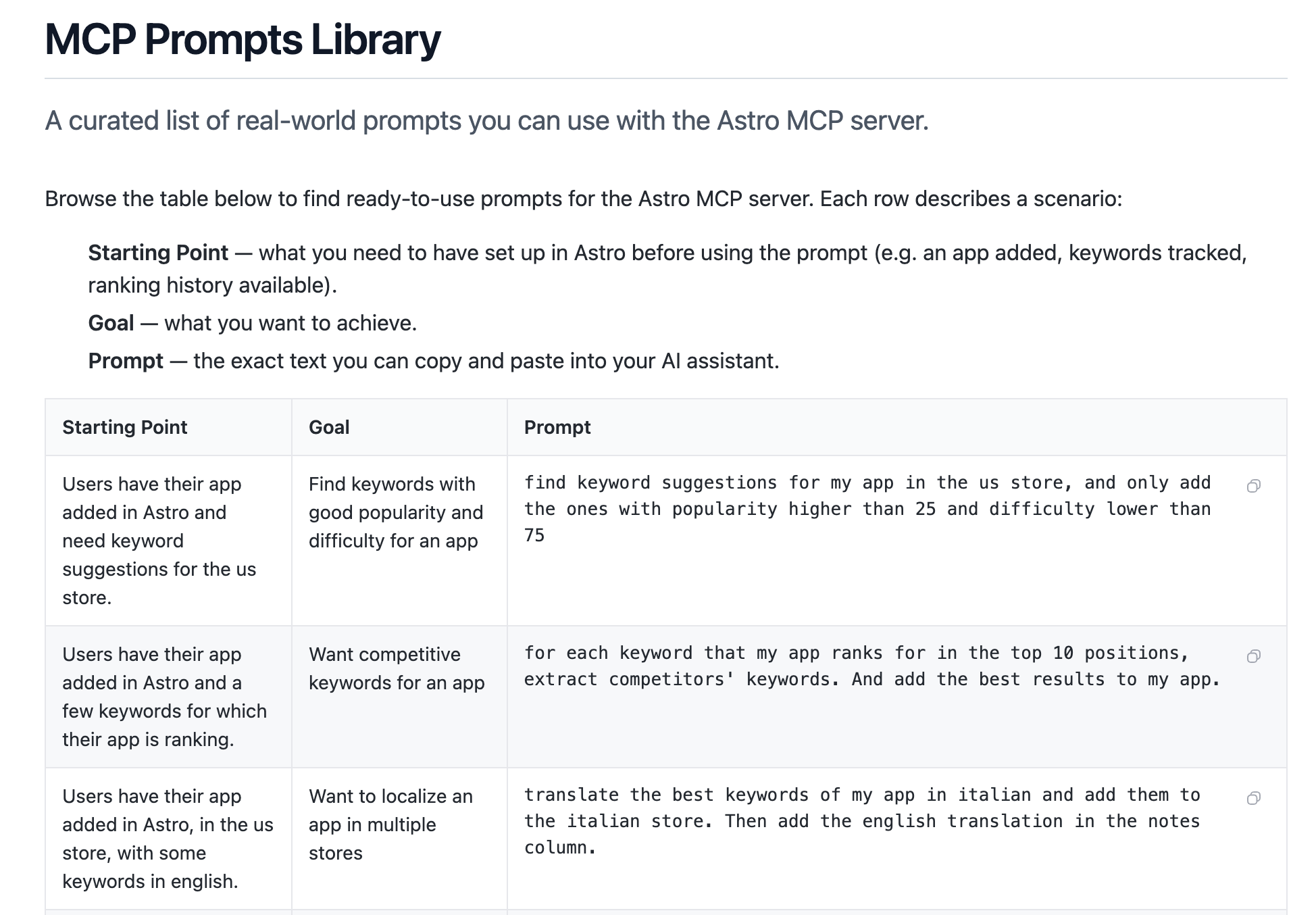
Astro has also published their own collection of ready-to-use prompts specifically built for this MCP.
My picks from their library to start with: keyword clustering by intent, ratings monitoring by country, and the competitor gap analysis prompt. They complement the ones above well.
The honest limitations
I don’t want to oversell this. Here’s what doesn’t work yet, and the workarounds I’ve found.
Astro is keyword rankings only
This is the biggest structural gap. Astro tracks keyword positions, that’s it. It doesn’t pull impressions, conversion rate, downloads, revenue, creatives, or Apple Search Ads data. So while Claude can do a lot with keyword intelligence, a full ASO report still needs data from other sources. The MCP doesn’t magically bridge that.
Workaround: I still pull conversion and impressions data manually from App Store Connect and Apple Ads. The goal is eventually to have multiple MCPs running in parallel: Astro for keywords, another for store performance data.. but that’s not plug-and-play yet.
It won’t suggest keywords you’re already ranking for
If you want to understand your current keyword footprint before doing research, Astro’s MCP doesn’t show you the full picture of where you’re already indexed.
My workaround: I pulled the app’s existing rankings from MobileAction, every keyword the app was ranking for in the top 100 and copy-pasted that list into Astro first, then used Claude for research on top of that baseline. It works, but it’s a manual step I shouldn’t have to do.
This is actually a feature request I’ve sent to the Astro team. A ‘current ranking import’ flow would make this setup significantly more powerful.
Ratings data is limited
Astro does support ratings tracking via MCP and you can ask Claude to pull ratings by store and country.
But there’s a catch: historical data only starts from the day you add the app to Astro. If you added an app last week, you have one week of ratings history. Nothing before that.
For new apps or recently added apps this is fine. For established apps where ratings trends matter, it’s a real gap. You’ll need App Store Connect or a tool like AppFollow for proper historical ratings analysis.
What’s next: ASO weekly reports, automated
The end goal is actually automating my weekly ASO reporting workflow entirely. What that looks like in practice:
Claude pulls weekly keyword ranking changes from Astro
Flags movements worth flagging (drops > 5 positions, new top 10 entries, competitor overtakes)
Writes the narrative analysisL what moved, why it likely moved, what to do about it
Send it to myself or clients via Slack or email
Outputs directly into a Google Sheet
I’m not there yet as the Google Drive/Sheets MCP auth is still something I’m working through. Before connecting anything, I want to properly review the privacy implications and limit what data Claude actually has access to. That's the part I'm most careful about: I don't want any private client information ending up somewhere it shouldn't.
🎯 You might also like:

✨ Found this useful? Share it with someone building or growing an app.